
One WhatsApp number, your whole sales team
Customers message your business number. Agents reply from one shared inbox, and every chat is linked to its lead and its agent. Saved replies, internal notes, labels and message search keep it fast. Messenger and Instagram DMs are coming soon on Growth and Business. We are waiting for Meta's approval for Messenger and Instagram messaging.
Can multiple agents use one WhatsApp number?
Yes, with the WhatsApp Business API. BrokLeads connects your number through Meta's official WhatsApp Cloud API, so your whole team replies from one number in a shared inbox. Each chat is assigned to one agent, new chats become leads, and a transferred chat keeps its full history.
Built on the official WhatsApp Cloud API
Connect your own WhatsApp Business number once through Meta's Embedded Signup. Meta bills messaging to your own WhatsApp Business Account, and BrokLeads adds no markup.
One number per workspace for the whole team, with media, approved templates and auto-replies.
MessengerComing soon
Messages to your Facebook pages, in the same inbox as WhatsApp. Coming soon on Growth and Business; not available yet while we wait for Meta's approval.
InstagramComing soon
Instagram DMs alongside every other conversation. Coming soon on Growth and Business; not available yet while we wait for Meta's approval.
How does a team follow up inside WhatsApp?
Approved templates for every follow-up
You can reply to anything within 24 hours of the customer's last message. After that, WhatsApp requires a Meta-approved template. Create body-text templates, submit them to Meta and send them with the lead's name and details filled in.
- Submit templates to Meta for approval
- Variables filled from the lead automatically
- Send photos, videos, documents and voice notes
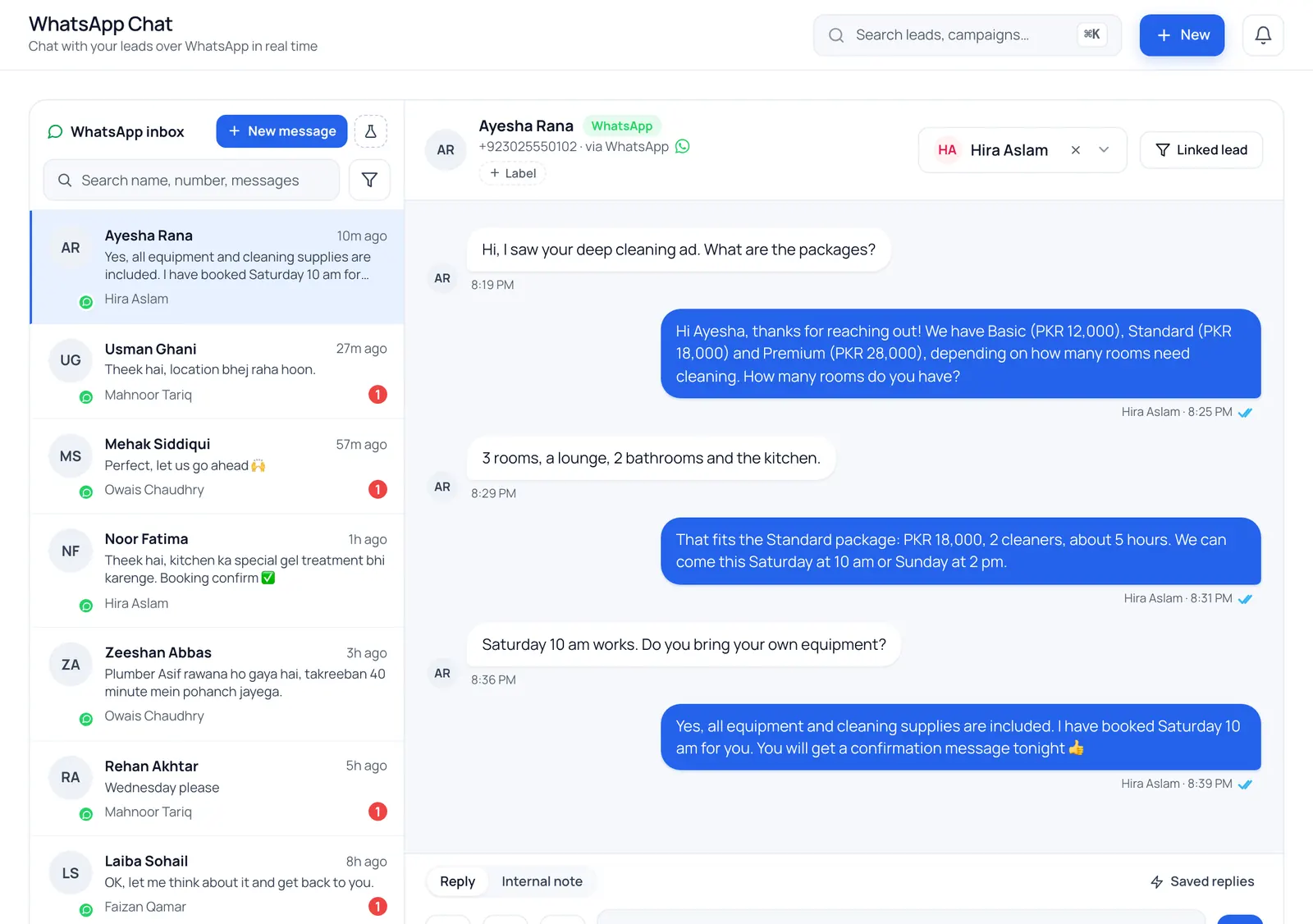
Automation rules for first messages, keywords and after hours
Greet every new enquiry instantly, send your price list when someone types “price” or “fees”, or reply outside office hours, then assign the chat to an agent, tag it and create a follow-up. Each rule can do several things, and a run log shows what fired.
- Triggers: first message, keyword, after hours, no reply, new lead
- Reply with text or an approved template
- Assign an agent, add a tag, create a follow-up task
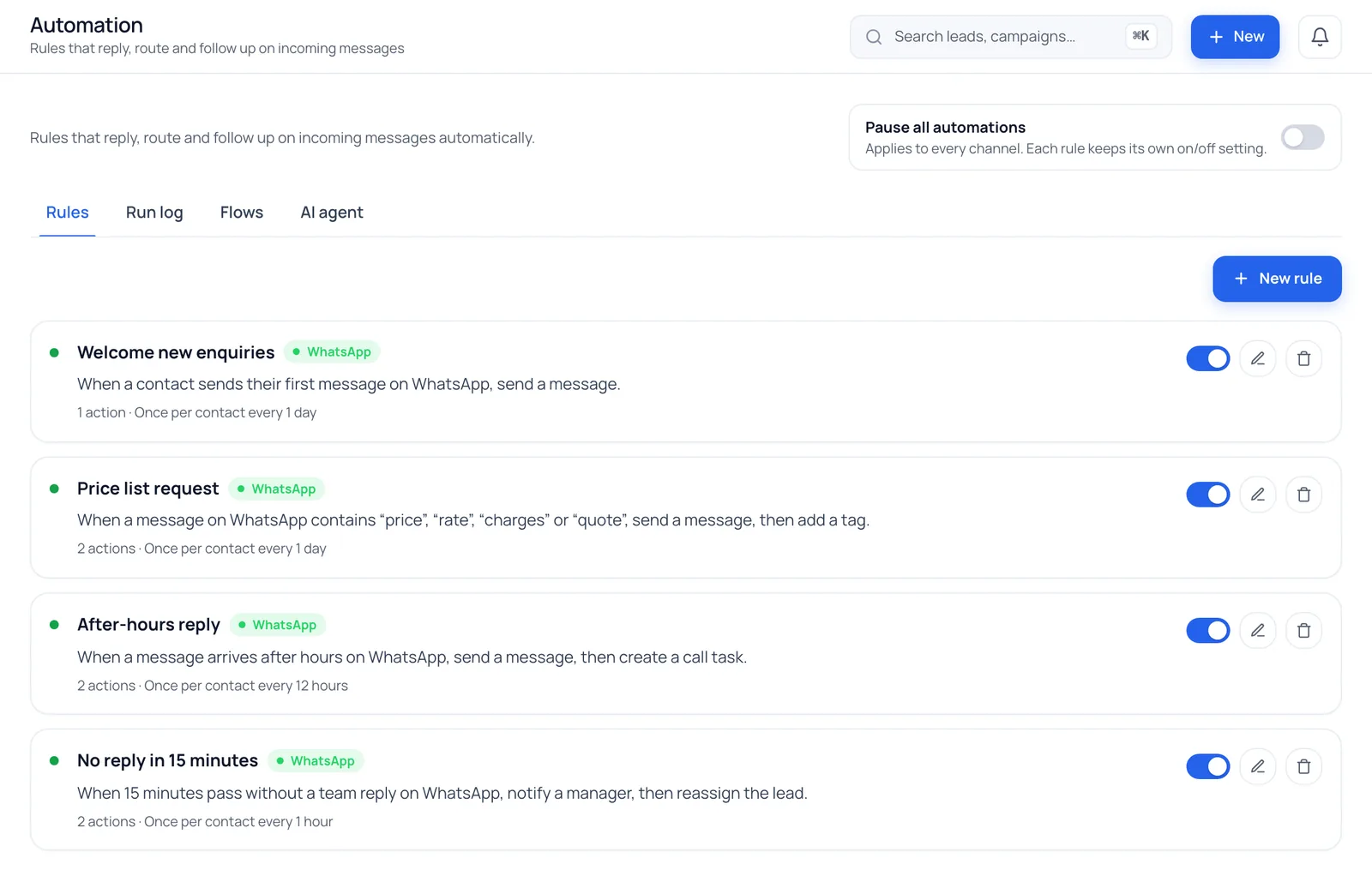
Chats belong to the business, not the agent
Conversations live on your business number, not an agent's personal phone. Transfer a chat to another agent and the lead moves with it, so nothing is lost when someone is on leave or moves on.
- Transfer chats with their full history
- Every chat linked to a lead and its owner
Saved replies, notes, labels and search for a busy shared inbox
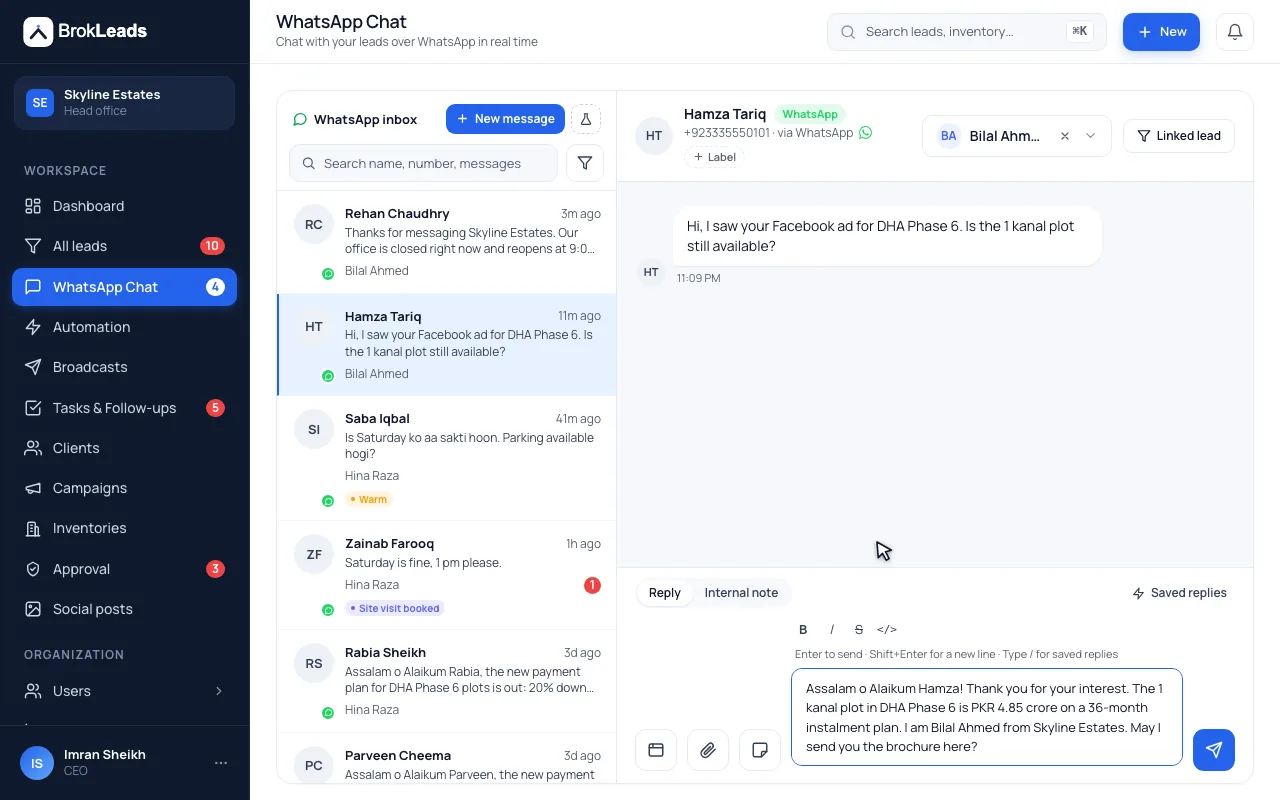
When one number serves a whole team, speed and context matter. Type / to drop a saved reply into the box, leave an internal note for the next agent, label a conversation, and search message text to find what a customer said last month.
- Saved replies with name and agent variables, personal or shared
- Internal notes the customer never sees
- Labels on conversations, and filters on the list
- Search across message text, names and numbers
Built for how sales teams actually chat
Photos, documents & voice notes
Send price lists, brochures and photos, play the voice notes customers send, and record your own replies in the web inbox.
Approved templates
Re-open conversations after 24 hours with Meta-approved messages.
Automation rules
Answer first messages, keywords and after-hours messages, and chase chats nobody has answered.
Transfer chats
Hand a customer to another agent with the full history.
Inbox on mobile
Agents can reply from the BrokLeads app (Android app on Google Play; iOS coming soon).
Chats become leads
A new WhatsApp contact creates a lead and is assigned automatically.
Why sales teams need a shared WhatsApp inbox
In Pakistan, the UAE and Saudi Arabia, customers message before they call. A patient asks a Dubai clinic about prices, a shopper asks a Lahore online store about delivery, a parent asks a Karachi institute about fees. When those chats land on each agent's personal phone, the owner can't see who replied, the history leaves when the agent does, and nobody notices a lead left on read.
Sharing the WhatsApp Business app on one phone doesn't solve it either: it can't assign chats to agents or keep a record of who did what (app vs API compared). BrokLeads runs on Meta's official WhatsApp Business API, so several agents answer from one number, every chat is linked to a lead, and templates keep follow-ups going after the 24-hour window closes. See how a WhatsApp CRM turns every chat into a lead.
Questions about the WhatsApp team inbox
Do I need the WhatsApp Business API?
Yes, and BrokLeads handles the connection. You link your own number to Meta's official WhatsApp Cloud API through Embedded Signup during onboarding, with no separate API contract to manage.
What happens when a chat is transferred?
The chat moves to the new agent with its full message history, and the linked lead moves with it, so the customer doesn't have to repeat themselves.
Who pays for WhatsApp messages?
Meta bills WhatsApp messaging directly to your own WhatsApp Business Account at Meta's rates. BrokLeads adds no markup to Meta's fees. Meta's rates for numbers in Pakistan, with monthly estimates by team size, are on our WhatsApp messaging costs section.
Can I connect more than one WhatsApp number?
Each workspace connects one WhatsApp number. If you run separate branches, each can be its own workspace with its own team and leads.
Can I message a lead after 24 hours?
WhatsApp only allows free-form replies within 24 hours of the customer's last message. After that you send a Meta-approved template, which BrokLeads fills with the lead's details.
Can I use Messenger and Instagram in the same inbox?
Not yet. The Messenger and Instagram inbox is coming soon on Growth and Business. We are waiting for Meta's approval for Messenger and Instagram messaging. We cannot give a date, and Starter does not include it. WhatsApp works in the shared inbox today.
What are saved replies?
Saved replies are reusable answers you insert by typing / in a chat. They can use the contact's name, first name, your name and the branch name, and they can be personal or shared with the team. The reply lands in the message box for you to edit before you send it.
Are internal notes visible to the customer?
No. An internal note is attached to the conversation for your team only; the customer never receives it. Labels work the same way: they organise conversations inside BrokLeads.
Can I search inside old WhatsApp messages?
Yes. Inbox search looks at the contact's name and number and at the text of messages, and the conversation list can be filtered further, for example by label.
Works with
Bring every chat into one place
We'll connect your WhatsApp number with you during free onboarding.