
Share every lead fairly, automatically
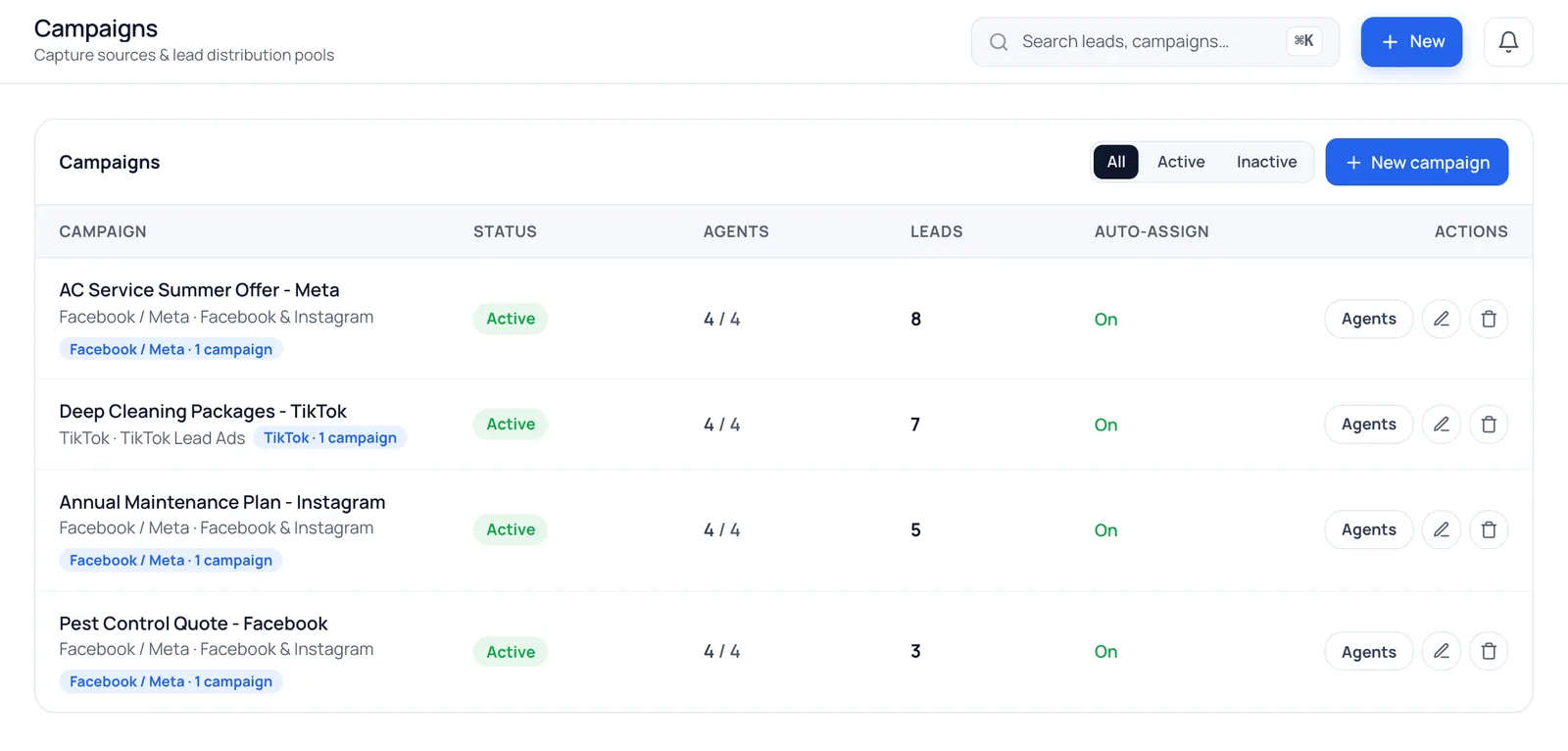
Every new lead goes straight to the next agent in line on that campaign, with caps so nobody is buried, so the customer hears back while they're still interested.
What is round-robin lead distribution?
Round-robin lead distribution assigns each new lead to the next agent in a fixed rotation, so every agent gets a fair share and nobody has to claim leads. In BrokLeads, each campaign has its own rotation of agents with optional daily and total caps, and inactive agents are skipped automatically.
How does round-robin lead assignment work?
Distribution runs the moment a lead arrives from Facebook, Instagram, TikTok, WhatsApp or your website form, with no manager in the loop.
A rotation per campaign
Each campaign has its own list of agents, and its leads rotate through them in turn.
Daily and total caps
Limit how many leads an agent gets per day or in total, so work is spread evenly.
WhatsApp & website pools
Chats and web enquiries without a campaign rotate through a pool of agents you choose.
Only agents who can act
Inactive agents, and agents not taking leads, are skipped automatically.
How do managers see who got which lead?
See who got which lead, and why
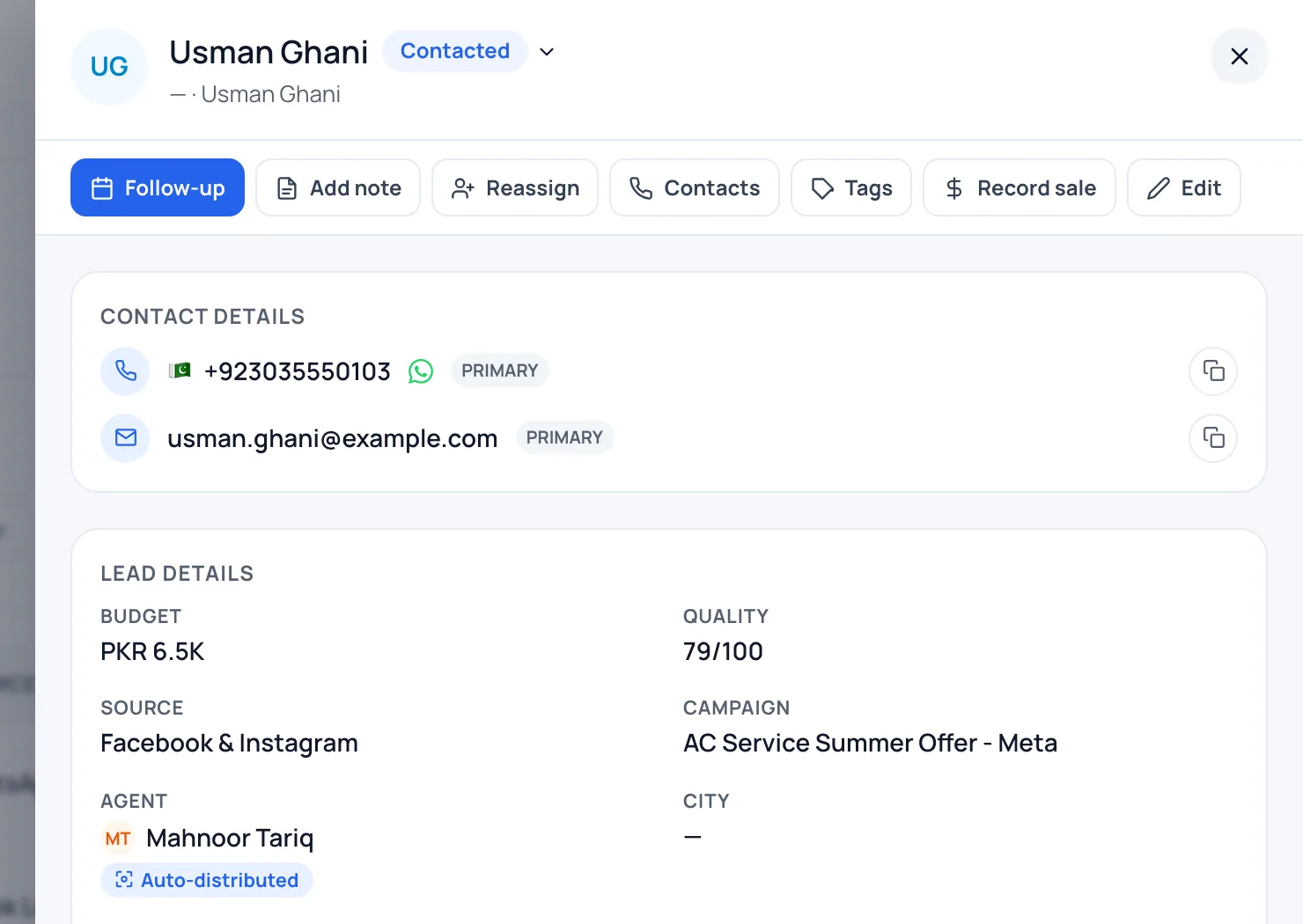
Every assignment is logged with the previous and new agent, whether it came from round-robin or a manager, and when. Arguments about who got the good lead end with the log.
- Assignment history on every lead
- Manual reassignment by managers
Reassign or transfer in one click
Agent on leave or overloaded? A manager can move a lead, or its WhatsApp chat, to someone else, and the history moves with it.
- Chats move with the lead
- Every change recorded in the activity log
Why round-robin beats the WhatsApp group
Push alerts
Agents on the mobile app get a notification the moment a lead is theirs.
A faster first reply
No claiming or forwarding step between the form and the agent.
A fair share
Every agent on a campaign gets the same flow of leads.
Measurable
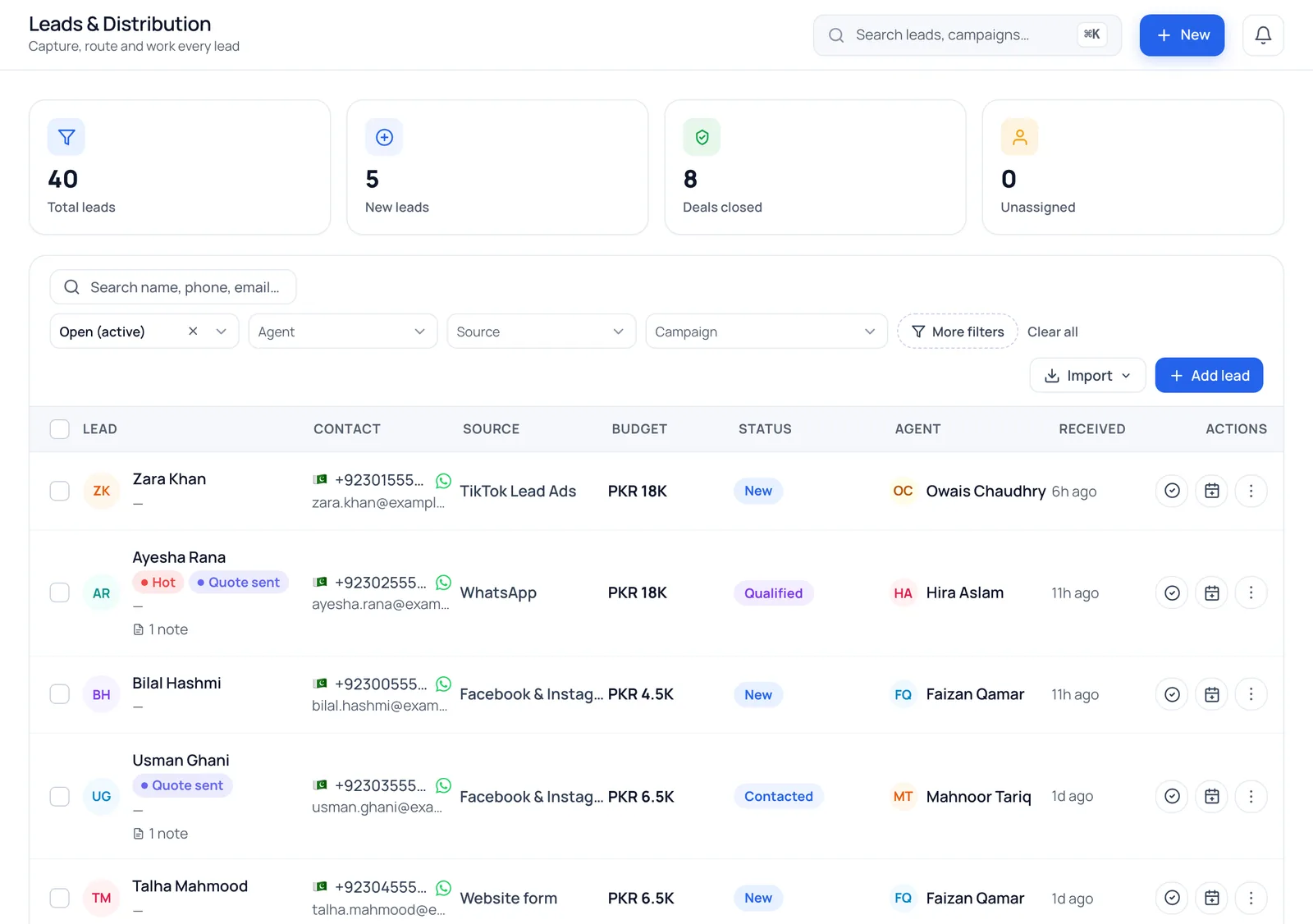
Staff reports show leads received and deals closed per agent.
Private by default
Agents see only the leads assigned to them.
Per workspace
Each branch runs its own campaigns, rotations and pools.
Lead distribution for sales teams in Pakistan, the UAE and Saudi Arabia
In many small businesses, new leads are dropped into a WhatsApp group and agents claim them. It feels fast, but the same few agents grab the best-looking leads, others stop looking, and nobody can say whether a lost lead was bad or simply never called. It happens the same way in a Riyadh brokerage, a Lahore online store and a Dubai travel agency.
Automatic lead assignment fixes both problems. Every lead has an owner from the first second, so the customer gets a reply while they still remember the ad, and you can measure what each agent does next. Read our comparison of round-robin vs manual lead assignment, and why speed to lead decides so many sales.
Questions about lead distribution
How does round-robin lead distribution work?
Each campaign has an ordered list of agents. Every new lead from that campaign goes to the next agent in the list, skipping agents who are inactive or not taking leads, then the rotation continues.
Can different products or branches go to different agents?
Yes. Create a campaign per product, service or location and give each its own agents. Leads from that campaign only rotate among them.
Can I cap how many leads an agent gets?
Yes. Set a daily cap and a total cap per agent on each campaign, so work is spread evenly and new agents aren't overloaded.
What happens when an agent is on leave?
Mark them as not taking leads and they're skipped until they're back. A manager can also reassign any of their open leads in one click.
Can leads be assigned by city, budget or language automatically?
Yes, with lead routing rules. A rule matches a lead's source, campaign, city, budget, language, channel or time of day and sends it to an agent, a team or the pool. A lead that matches no rule falls back to the round-robin described on this page. See lead routing rules.
Works with
See round-robin on your own leads
We'll set up a campaign rotation in the demo and route a test lead to an agent.