A lead CRM your team can use in Arabic
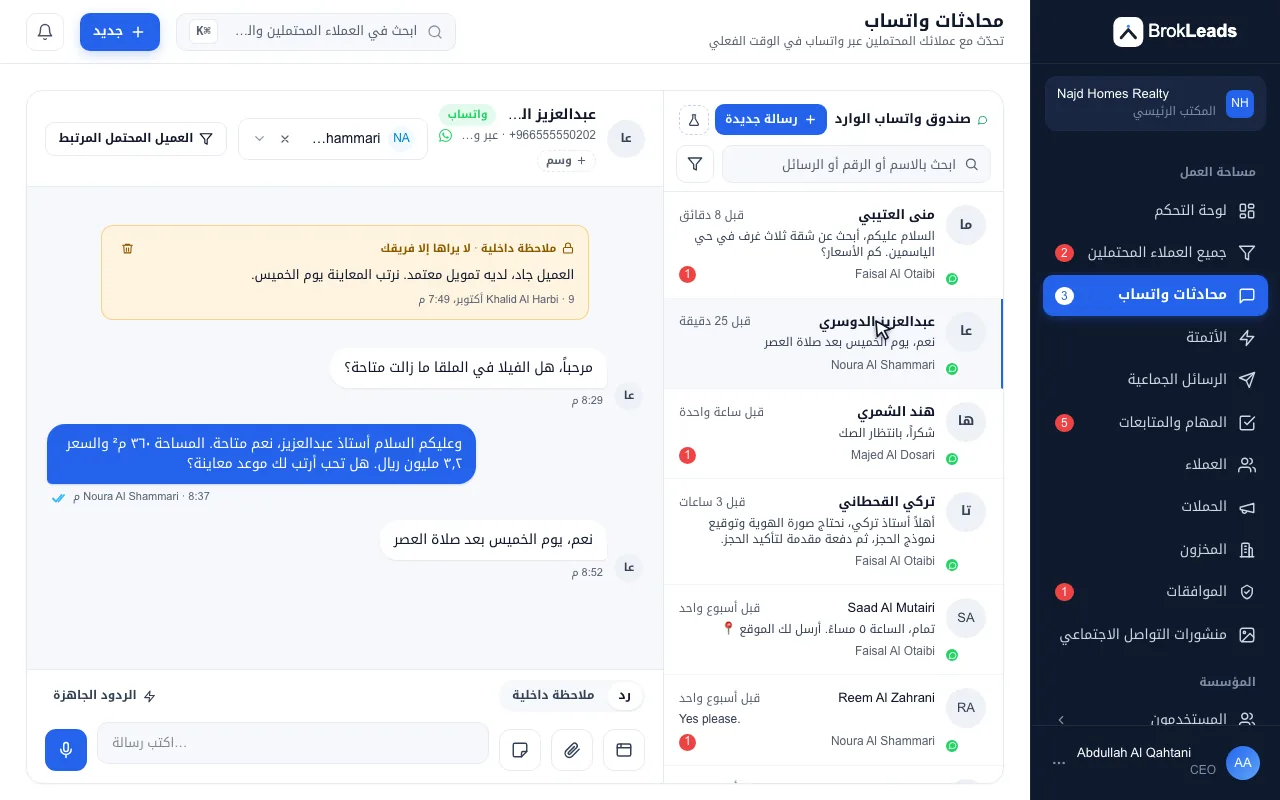
Switch the web app to Arabic, laid out right to left; the mobile app follows in its next update. Each person chooses their own language, and the owner sets the default for new team members.
Does BrokLeads have an Arabic interface?
Yes. The BrokLeads web app can be switched to Arabic, with a right-to-left layout; the mobile app follows in its next update. Language is set per user and remembered at login, and a workspace default applies to new members. The Arabic text was machine-drafted and is waiting for native-speaker review, and notifications, emails and other server messages are not translated yet.
An Arabic interface that follows each person
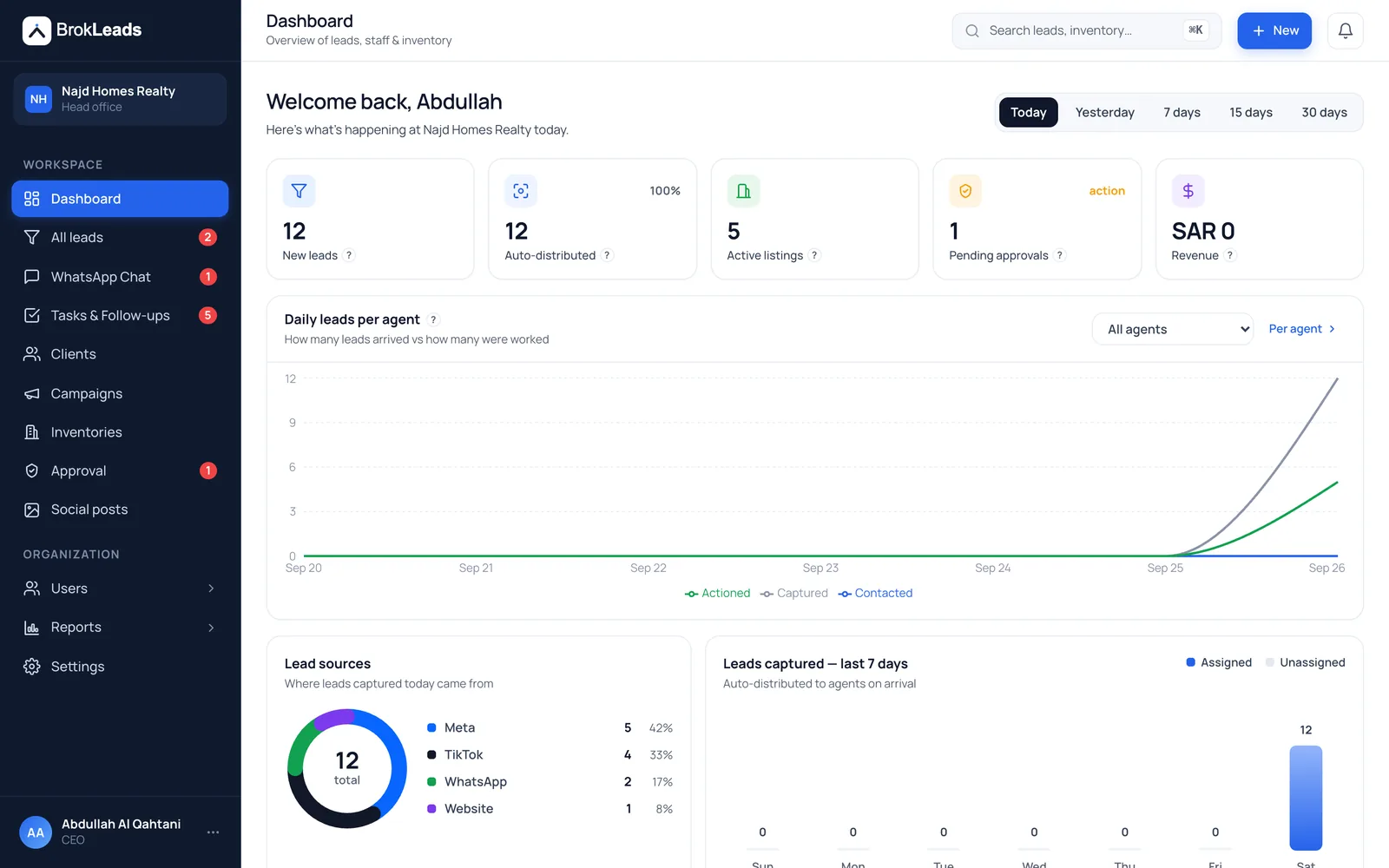
This website stays in English. The signed-in web app speaks English or Arabic; the mobile app follows in its next update.
The whole layout flips, not only the labels
In Arabic, menus, tables, drawers and forms mirror to right-to-left, the interface uses the Droid Arabic Kufi typeface and numbers stay in Western digits. This is in the web app; the mobile app follows in its next update.
- Web app now, mobile app in its next update
- Right-to-left layout with a dedicated Arabic typeface
- Western digits for numbers
- Layout
- Mirrored right to left, in the web app
- Typeface
- Droid Arabic Kufi for Arabic text
- Numbers
- Western digits (0 to 9)
Language per person, with a default for the workspace
Each user picks English or Arabic in their profile, and the choice follows them at login. The login page has its own English and Arabic switch. Owners and managers set the default language for new members in branch settings, so a mixed team can work in two languages in one workspace.
- Chosen per user and remembered at login
- A workspace default for new members
- English and Arabic users work side by side
Arabic where the leads actually are
Arabic reaches beyond the menus. Automation keyword rules match Arabic spelling variants, routing can send Arabic-language leads to agents who speak it, lead import recognises Arabic column headers, saved replies can be tagged by language, and the AI assistant, by request, can draft in Arabic.
- Keyword rules that ignore diacritics and letter variants
- Routing by language
- Arabic headers recognised in lead import
- Automation
- Keyword matching across Arabic and Urdu spellings
- Routing
- A language condition, and agent profiles that list languages
- Import
- Arabic headers such as the name and phone columns are guessed
- Saved replies
- A language tag on each reply
Three steps to an Arabic workspace
- 1
Choose Arabic in your profile
Each person switches their own language in Settings, or from the switch on the login page.
- 2
Set the default for new members
Owners and managers choose the language that new team members start with.
- 3
Work as usual
Leads, the WhatsApp inbox, follow-ups and reports all appear in the chosen language.
Who it suits, and what it does not do
A good fit if
- Teams in Saudi Arabia and the UAE where some or all staff prefer to work in Arabic
- Owners who run a mixed English and Arabic team in one workspace
- Businesses that get Arabic enquiries and want keyword rules and routing to understand them
What it does not do
- The Arabic text was machine-drafted and is waiting for native-speaker review, so expect wording we will refine.
- Notifications, emails and other server messages are not translated yet and arrive in English.
- Your data is not translated. Lead names, notes and messages appear as typed.
- This website is English only. The mobile app follows in its next update, and templates are written in the languages you need and submitted to Meta by you.
Questions about the Arabic interface
Is there a CRM with an Arabic interface for WhatsApp sales teams?
Yes. The BrokLeads web app can be switched to Arabic, with a right-to-left layout; the mobile app follows in its next update. It combines a lead CRM with a shared WhatsApp inbox for teams in Pakistan, the UAE and Saudi Arabia.
Does the mobile app support Arabic?
Not yet. The web app is available in Arabic; the mobile app follows in its next update.
Is the Arabic translation final?
No. The Arabic text was machine-drafted and is waiting for native-speaker review, so some wording will change. If a term reads wrongly to your team, tell us and we will fix it.
Can different people use different languages?
Yes. Language is set per user, so an Arabic-speaking agent and an English-speaking manager can work in the same workspace. Owners and managers set the default for new members.
Are notifications and emails in Arabic?
Not yet. Notifications, emails and other server messages are not translated, and arrive in English.
Is the BrokLeads website available in Arabic?
No. This website is in English. The Arabic interface is in the signed-in web app; the mobile app follows in its next update.
Can customers write to us in Arabic?
Yes. WhatsApp carries any language, and BrokLeads keyword rules match Arabic spelling variants. Routing can send Arabic-language leads to agents who speak it, and the AI assistant, by request, can draft in Arabic.
Does BrokLeads work in Saudi Arabia?
Yes. Workspaces can use SAR, a Saudi time zone and Saudi phone numbers, and you can see CRM software for Saudi Arabia for how BrokLeads fits teams there.
Works with
See BrokLeads in Arabic
See BrokLeads with your own leads and team in a 30-minute walkthrough. Onboarding is free.